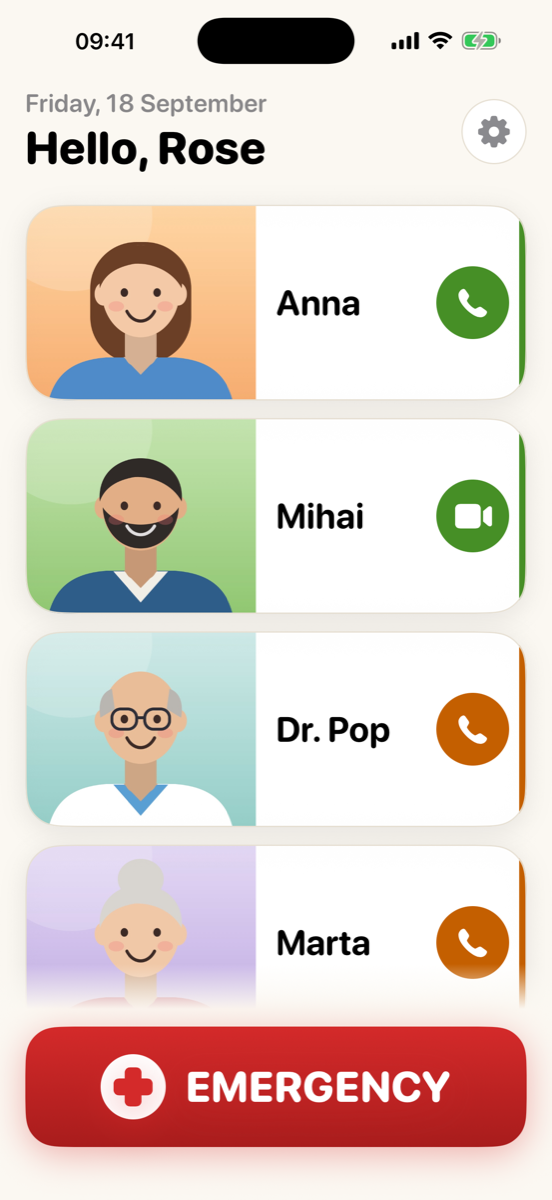
Big photo buttons
A face to tap instead of a name to find. Phone call, FaceTime video or FaceTime audio, per person.
 GrammyFone
For parents and grandparents
GrammyFone turns an iPhone into a calm, big-button phone: a large photo for everyone they call, and one red Emergency button. You set it up from your own phone, and keep it up to date from anywhere.
Free to download. GrammyFone Family is a one-time purchase, shared with your Family Sharing group.
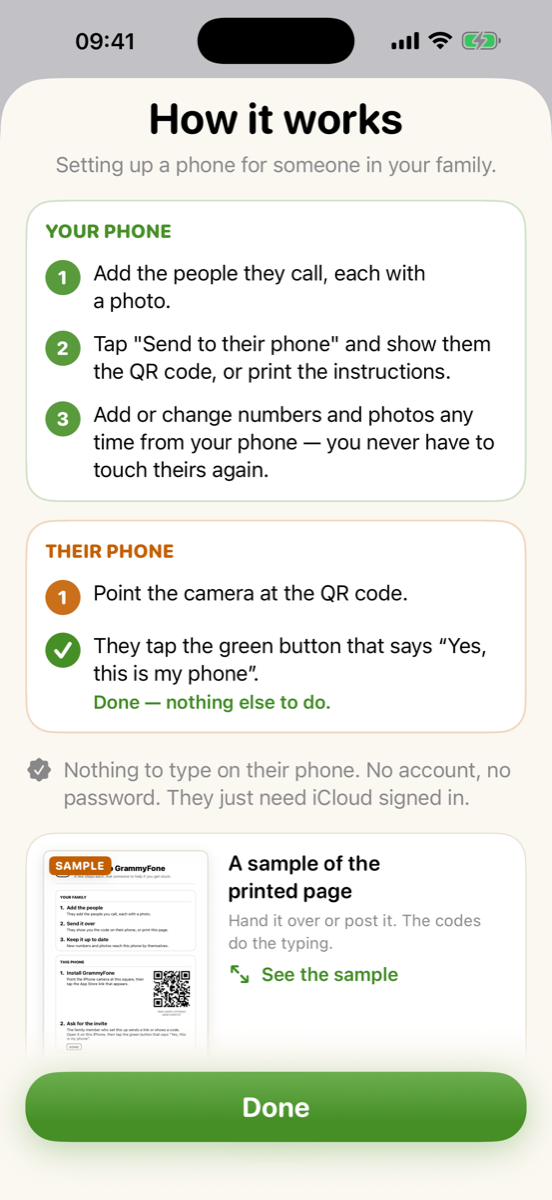
No fiddling with settings on their phone during a visit. You pick the people and photos; GrammyFone sends it over.
No account, no password, nothing to remember. Their iPhone just needs to be signed in to iCloud.
Everything is large, high-contrast and one tap away, with a gentle confirmation so nobody calls by accident.
A face to tap instead of a name to find. Phone call, FaceTime video or FaceTime audio, per person.
A care home or a surgery switchboard often needs an extension. Add it to the number and GrammyFone waits, then dials it — nothing for them to key in.
One button calls the emergency number and alerts the family with where they are. It can dial an extension too.
Put a loved one's photo on the Home Screen or Lock Screen and call with one tap.
Several family members can help manage the same phone, each from their own iPhone.
Follows the text size and dark mode settings, with extra large layouts for the largest sizes.
No accounts, no ads, no tracking. Contacts sync through your own iCloud, not our servers.
Free: set a phone up by hand, with up to four people — your own phone, or theirs while you have it.
GrammyFone Family is what you buy to do it over iCloud instead: set their phone up from yours, and add or change people afterwards without ever touching it again. One purchase, shared with your Family Sharing group. No subscription.